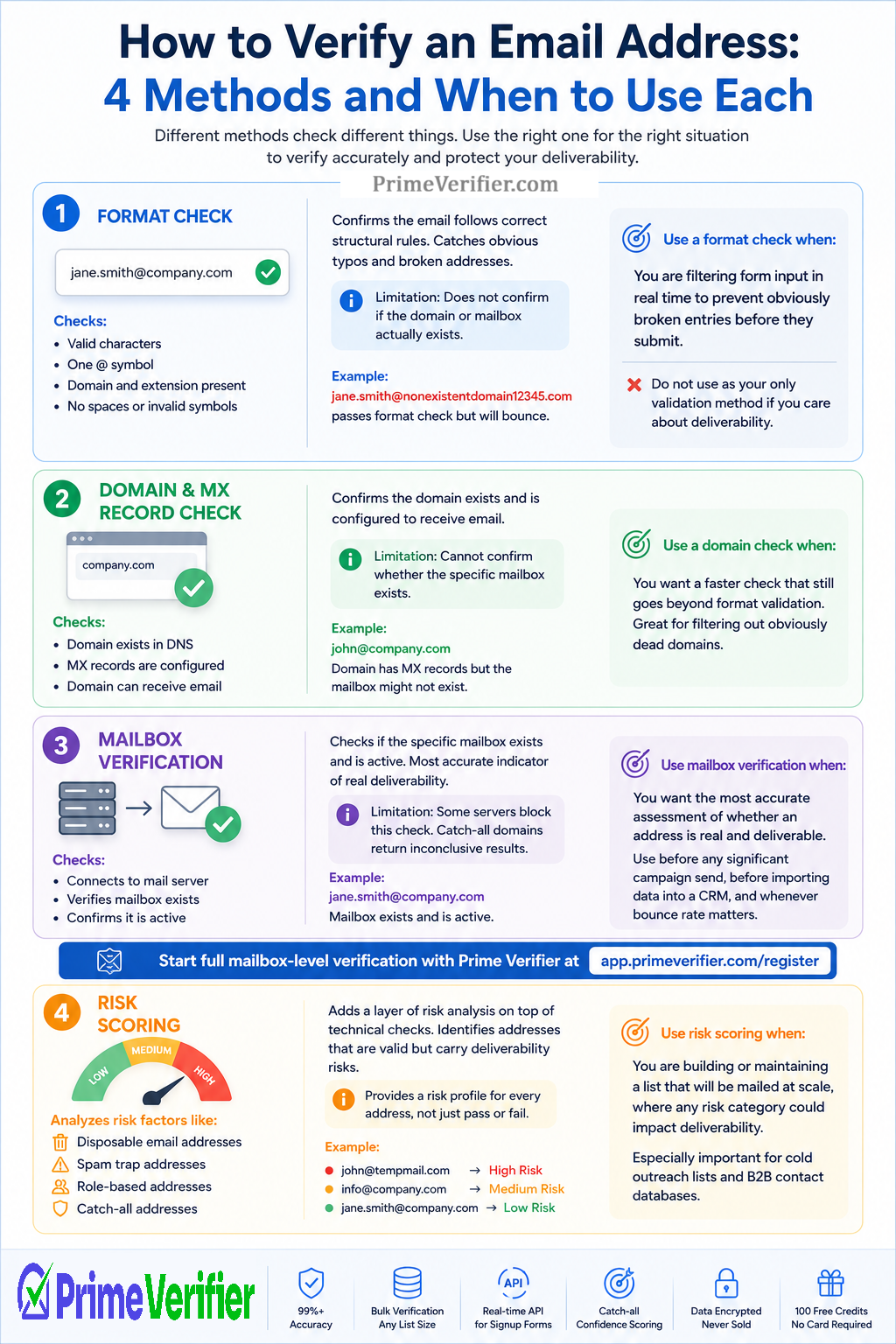
How to Verify an Email Address: 4 Methods and When to Use Each
You can verify an email address four different ways, and each one tells you something different about whether the address actually works. Here is when to use each approach.
Verifying an email address sounds like a simple task, but there are actually four distinct methods available, each with different depths of checking, different use cases, and different levels of reliability. Knowing which method fits which situation helps you verify accurately without over-engineering simple checks or under-verifying situations that need thorough validation.
Method 1: Format Check
A format check confirms that an email address follows the correct structural rules. It checks for a valid local part before the at symbol, exactly one at symbol, a domain name after it, and a recognizable top-level extension.
This is the fastest verification method and the most limited. It catches obviously broken addresses, missing at symbols, stray spaces, invalid characters, and similar structural errors. But it tells you nothing about whether the address can actually receive mail.
An address like [email protected] passes a format check with full marks. It looks like a valid email address. But if that domain does not exist, the address will bounce the moment you send to it.
Use a format check when: you are filtering form input in real time to prevent obviously broken entries before they submit. Do not use a format check as your only validation method if you care about deliverability.
Method 2: Domain and MX Record Check
A domain check goes further by looking up whether the domain exists in DNS and whether it has mail server records, called MX records, configured to receive email. A domain without MX records cannot receive any email, no matter how valid the local part looks.
This method catches a meaningful additional category of invalid addresses compared to format checking alone. It catches addresses on domains that have expired, been abandoned, or never had email configured.
The limit of this method is that it confirms the domain can receive email but cannot confirm whether the specific mailbox at that domain exists. A valid domain might host thousands of valid addresses and thousands of invalid ones, and an MX record check cannot tell the difference.
Use a domain check when: you want a faster check that still goes beyond format validation. It is significantly better than format checking alone and is often sufficient for filtering out obviously dead domains, but it still misses mailbox-level invalidity.
Method 3: Mailbox Verification
Mailbox verification adds the step that format and domain checking both miss: it connects to the mail server and checks whether the specific mailbox at the domain exists and is active. This is the level of checking that identifies deactivated employee accounts, abandoned personal inboxes, and addresses that were never associated with a real person.
Not all mail servers allow this check. Some deliberately reject it to protect user privacy. And catch-all domains accept all mailbox queries regardless of whether the specific address exists. In those cases, the check returns inconclusive results that require additional analysis, which is where catch-all confidence scoring becomes valuable.
Where mailbox verification is possible, it is the most accurate indicator of genuine deliverability available without actually sending an email.
Use mailbox verification when: you want the most accurate possible assessment of whether an address is real and deliverable. This is the right method before any significant campaign send, before importing data into a CRM, and for any use case where bounce rate matters.
Start full mailbox-level verification with Prime Verifier at app.primeverifier.com/register
Method 4: Risk Scoring
Risk scoring is not a separate verification step in the same way as the others. It is a layer of analysis applied on top of the technical checks above, identifying addresses that pass the technical criteria but carry specific risks.
Disposable email addresses pass all three technical checks but belong to temporary inbox services that expire within hours or days. Spam trap addresses pass technical checks but are specifically designed to catch senders with poor list hygiene. Role-based addresses are technically valid but route to shared inboxes with higher complaint risk. Catch-all addresses technically accept all mail but may or may not correspond to real, active mailboxes.
Risk scoring identifies each of these categories distinctly, giving you a risk profile for every address rather than just a binary pass or fail.
Use risk scoring when: you are building or maintaining a list that will be mailed at scale, where any of these risk categories would have a meaningful impact on deliverability. This is particularly important for cold outreach lists and B2B contact databases.
How to Verify Emails in Excel or Google Sheets
The Practical Combination
For most business email use cases, the best approach combines all four methods in a single pass. Format checking happens first to catch obviously invalid entries, domain checking confirms mail can reach the domain, mailbox verification checks the specific address, and risk scoring identifies the addresses that are technically valid but operationally risky.
This is what Prime Verifier does in its verification process: all four layers applied at 99%+ accuracy, with catch-all confidence scoring for addresses where standard mailbox verification cannot return a definitive result. See the full process at primeverifier.com/#how-it-works and verify every email with confidence at PrimeVerifier.com.